How to download Vimeo Videos (streaming via HLS / streamlink)
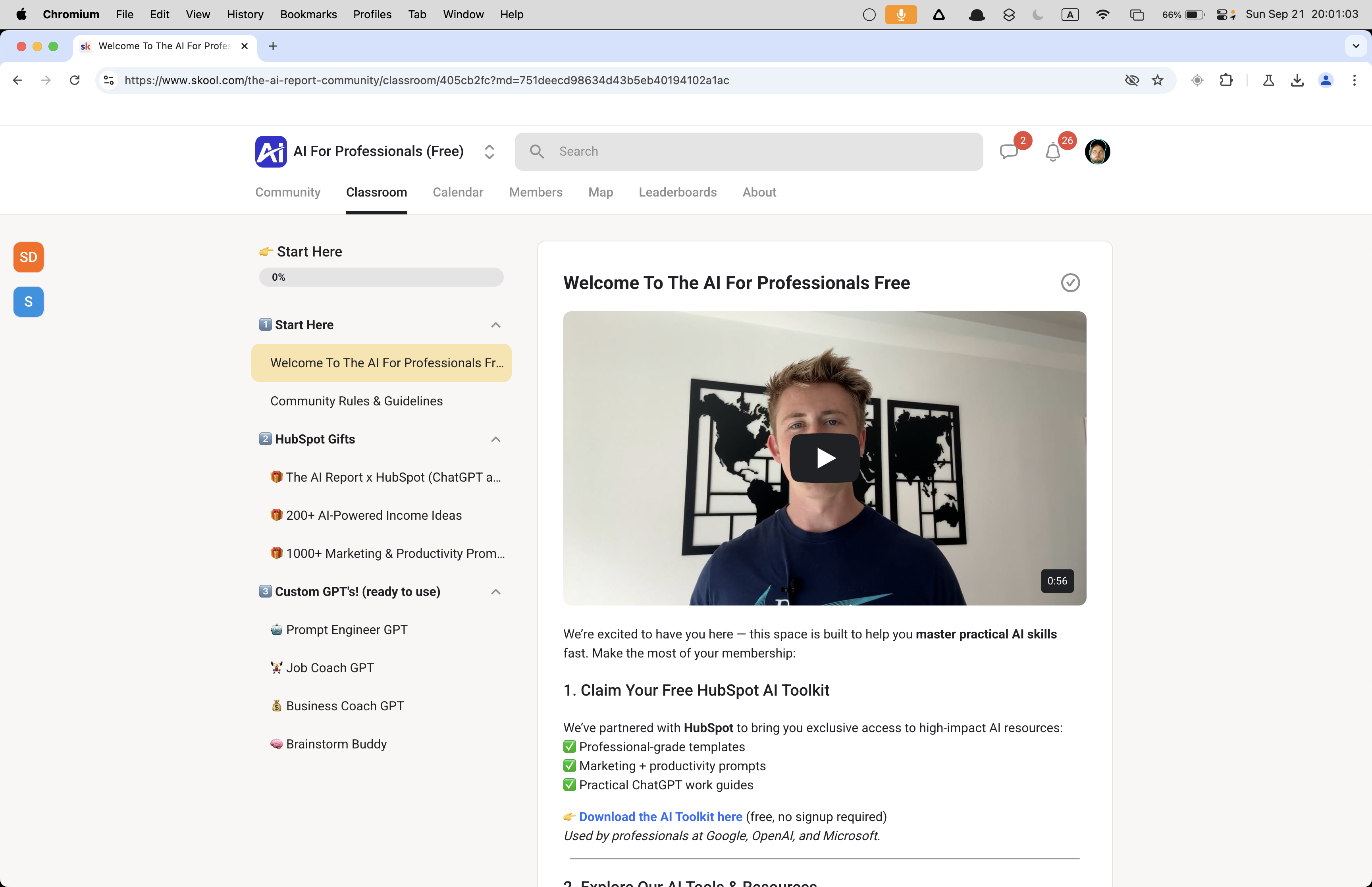
Vimeo embeds on Skool are streaming via HLS.
How to download Vimeo Videos (streaming via HLS / streamlink)
Vimeo embeds on Skool are streaming via HLS.
There are 2 methods for downloading these.
Streamlinkat the player.vimeo.com URL (w/ffmpeg)yt-dlpat the m3u8 stream
Method 1: Streamlink at the player.vimeo.com URL (w/ ffmpeg)
Streamlink already knows that plugin and can grab the master manifest https://player.vimeo.com/video/<id>.
In this situation, the Vimeo URL is either in the DOM or maybe can be constructed just from the video ID.
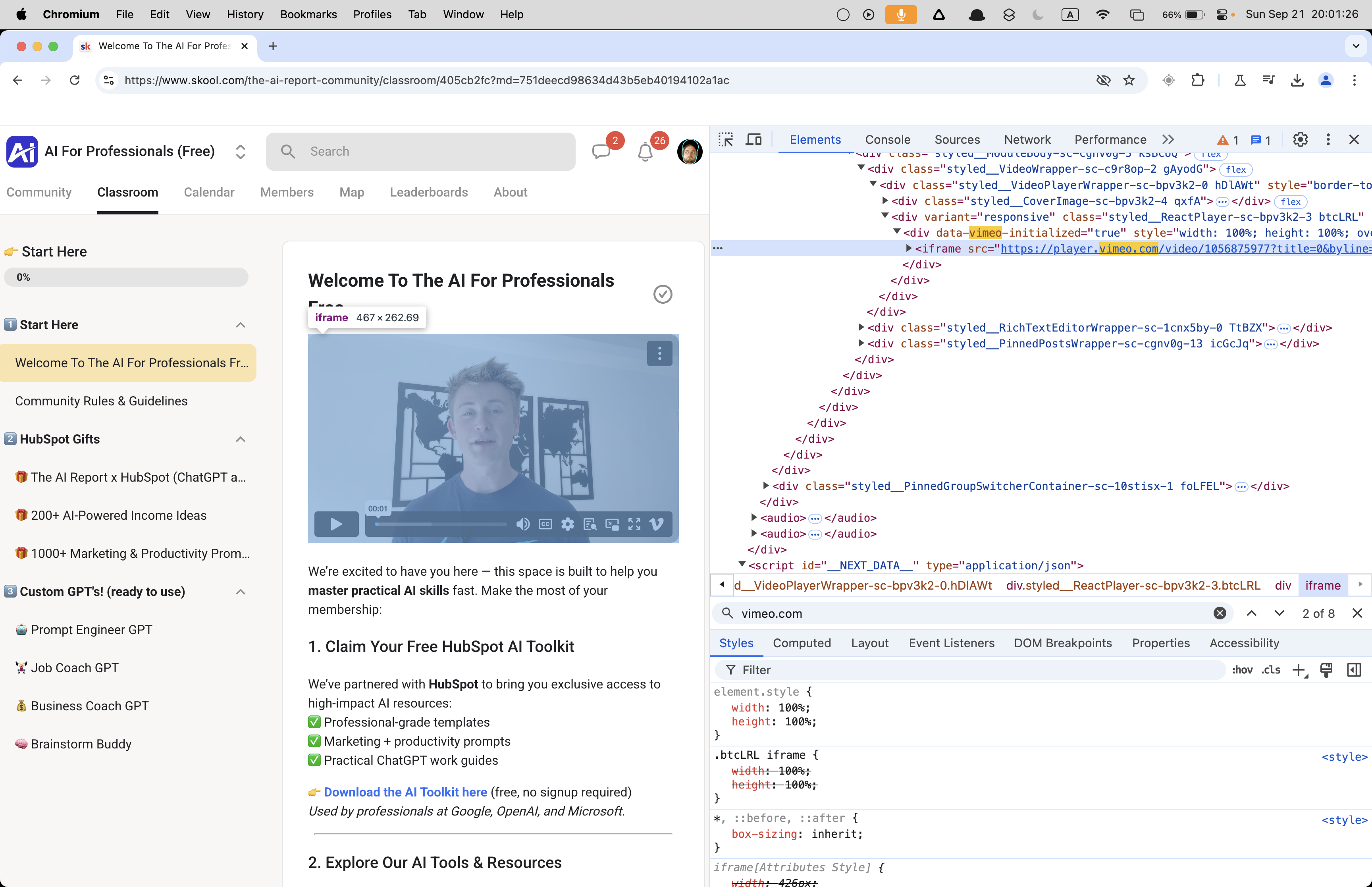
And u use streamlink
👉 Or just get the Vimeo Video Downloader: https://serp.ly/vimeo-video-downloader
How to download a Vimeo video from the player.vimeo.com URL
- Get the player.vimeo.com URL from the DOM
- Use
streamlinkto download the media - Use ffmpeg to remux the mp4 (optional)
- BONUS: Chain the commands together
❯ streamlink https://player.vimeo.com/video/1056875977 best -o ~/Desktop/vimeo_video.mp4
[cli][info] Found matching plugin vimeo for URL https://player.vimeo.com/video/1056875977
[stream.hls][warning] Unrecognized language for media playlist: language='en-x-autogen' name='English (auto-generated)'
[cli][info] Available streams: 240p (worst), 360p, 540p, 720p, 1080p (best)
[cli][info] Opening stream: 1080p (hls-multi)
[cli][info] Writing output to
/Users/devin/Desktop/vimeo_video.mp4
[utils.named_pipe][info] Creating pipe streamlinkpipe-5915-1-3021
[utils.named_pipe][info] Creating pipe streamlinkpipe-5915-2-7551
[cli][info] Stream ended
[cli][info] Closing currently open stream...
[download] Written 22.24 MiB to /Users/devin/Desktop/vimeo_video.mp4 (5s @ 4.26 MiB/s)
→ yields a transport stream (MPEG-TS) file.
And at least on a Mac that gives me an MP4 that WORKS but has no "preview" image on the .mp4 file like most videos.
What’s happening is that Streamlink is just writing the transport stream as-is into an MP4 container, but it doesn’t fully rebuild the metadata/index (the “moov atom”) that players rely on to show a thumbnail/preview and allow proper seeking.
It needs to be re-encoded or "remux'd. This can be done with with ffmpeg, which rewrites the container properly, which is why you get the preview.
❯ ffmpeg -i vimeo_video.mp4 output.mp4
ffmpeg version 7.1.1 Copyright (c) 2000-2025 the FFmpeg developers
  built with Apple clang version 17.0.0 (clang-1700.0.13.3)
  configuration: --prefix=/opt/homebrew/Cellar/ffmpeg/7.1.1_3 --enable-shared --enable-pthreads --enable-version3 --cc=clang --host-cflags= --host-ldflags='-Wl,-ld_classic' --enable-ffplay --enable-gnutls --enable-gpl --enable-libaom --enable-libaribb24 --enable-libbluray --enable-libdav1d --enable-libharfbuzz --enable-libjxl --enable-libmp3lame --enable-libopus --enable-librav1e --enable-librist --enable-librubberband --enable-libsnappy --enable-libsrt --enable-libssh --enable-libsvtav1 --enable-libtesseract --enable-libtheora --enable-libvidstab --enable-libvmaf --enable-libvorbis --enable-libvpx --enable-libwebp --enable-libx264 --enable-libx265 --enable-libxml2 --enable-libxvid --enable-lzma --enable-libfontconfig --enable-libfreetype --enable-frei0r --enable-libass --enable-libopencore-amrnb --enable-libopencore-amrwb --enable-libopenjpeg --enable-libspeex --enable-libsoxr --enable-libzmq --enable-libzimg --disable-libjack --disable-indev=jack --enable-videotoolbox --enable-audiotoolbox --enable-neon
  libavutil      59. 39.100 / 59. 39.100
  libavcodec     61. 19.101 / 61. 19.101
  libavformat    61.  7.100 / 61.  7.100
  libavdevice    61.  3.100 / 61.  3.100
  libavfilter    10.  4.100 / 10.  4.100
  libswscale      8.  3.100 /  8.  3.100
  libswresample   5.  3.100 /  5.  3.100
  libpostproc    58.  3.100 / 58.  3.100
Input #0, mpegts, from 'vimeo_video.mp4':
  Duration: 00:00:56.45, start: 1.525000, bitrate: 3306 kb/s
  Program 1
    Metadata:
      service_name    : Service01
      service_provider: FFmpeg
  Stream #0:0[0x100]: Video: h264 (High) ([27][0][0][0] / 0x001B), yuv420p(tv, bt709, progressive), 1920x1080, 24 fps, 24 tbr, 90k tbn
  Stream #0:1[0x101]: Audio: aac (LC) ([15][0][0][0] / 0x000F), 48000 Hz, mono, fltp, 192 kb/s
Stream mapping:
  Stream #0:0 -> #0:0 (h264 (native) -> h264 (libx264))
  Stream #0:1 -> #0:1 (aac (native) -> aac (native))
Press [q] to stop, [?] for help
[libx264 @ 0x132005100] using cpu capabilities: ARMv8 NEON
[libx264 @ 0x132005100] profile High, level 4.0, 4:2:0, 8-bit
[libx264 @ 0x132005100] 264 - core 164 r3108 31e19f9 - H.264/MPEG-4 AVC codec - Copyleft 2003-2023 - http://www.videolan.org/x264.html - options: cabac=1 ref=3 deblock=1:0:0 analyse=0x3:0x113 me=hex subme=7 psy=1 psy_rd=1.00:0.00 mixed_ref=1 me_range=16 chroma_me=1 trellis=1 8x8dct=1 cqm=0 deadzone=21,11 fast_pskip=1 chroma_qp_offset=-2 threads=24 lookahead_threads=4 sliced_threads=0 nr=0 decimate=1 interlaced=0 bluray_compat=0 constrained_intra=0 bframes=3 b_pyramid=2 b_adapt=1 b_bias=0 direct=1 weightb=1 open_gop=0 weightp=2 keyint=250 keyint_min=24 scenecut=40 intra_refresh=0 rc_lookahead=40 rc=crf mbtree=1 crf=23.0 qcomp=0.60 qpmin=0 qpmax=69 qpstep=4 ip_ratio=1.40 aq=1:1.00
Output #0, mp4, to 'output.mp4':
  Metadata:
    encoder         : Lavf61.7.100
  Stream #0:0: Video: h264 (avc1 / 0x31637661), yuv420p(tv, bt709, progressive), 1920x1080, q=2-31, 24 fps, 12288 tbn
      Metadata:
        encoder         : Lavc61.19.101 libx264
      Side data:
        cpb: bitrate max/min/avg: 0/0/0 buffer size: 0 vbv_delay: N/A
  Stream #0:1: Audio: aac (LC) (mp4a / 0x6134706D), 48000 Hz, mono, fltp, 69 kb/s
      Metadata:
        encoder         : Lavc61.19.101 aac
[out#0/mp4 @ 0x6000034d8000] video:13954KiB audio:486KiB subtitle:0KiB other streams:0KiB global headers:0KiB muxing overhead: 0.268337%
frame= 1351 fps=269 q=-1.0 Lsize=   14479KiB time=00:00:56.20 bitrate=2110.2kbits/s speed=11.2x
[libx264 @ 0x132005100] frame I:6     Avg QP:15.36  size: 83066
[libx264 @ 0x132005100] frame P:420   Avg QP:17.98  size: 22378
[libx264 @ 0x132005100] frame B:925   Avg QP:24.00  size:  4747
[libx264 @ 0x132005100] consecutive B-frames:  4.3%  6.5% 20.2% 69.0%
[libx264 @ 0x132005100] mb I  I16..4: 25.3% 57.5% 17.2%
[libx264 @ 0x132005100] mb P  I16..4:  5.0% 11.5%  0.5%  P16..4: 17.6%  7.1%  3.8%  0.0%  0.0%    skip:54.5%
[libx264 @ 0x132005100] mb B  I16..4:  0.2%  0.4%  0.0%  B16..8: 21.5%  2.2%  0.5%  direct: 0.5%  skip:74.7%  L0:50.1% L1:45.7% BI: 4.2%
[libx264 @ 0x132005100] 8x8 transform intra:66.9% inter:67.7%
[libx264 @ 0x132005100] coded y,uvDC,uvAC intra: 28.1% 20.1% 3.2% inter: 4.0% 3.2% 0.0%
[libx264 @ 0x132005100] i16 v,h,dc,p: 47% 20% 22% 11%
[libx264 @ 0x132005100] i8 v,h,dc,ddl,ddr,vr,hd,vl,hu: 36% 11% 43%  1%  2%  2%  2%  1%  1%
[libx264 @ 0x132005100] i4 v,h,dc,ddl,ddr,vr,hd,vl,hu: 31% 18% 21%  4%  6%  6%  5%  4%  5%
[libx264 @ 0x132005100] i8c dc,h,v,p: 75% 11% 13%  1%
[libx264 @ 0x132005100] Weighted P-Frames: Y:0.0% UV:0.0%
[libx264 @ 0x132005100] ref P L0: 74.5%  9.0% 12.0%  4.5%
[libx264 @ 0x132005100] ref B L0: 91.8%  7.0%  1.1%
[libx264 @ 0x132005100] ref B L1: 97.3%  2.7%
[libx264 @ 0x132005100] kb/s:2021.68
[aac @ 0x132190030] Qavg: 251.876
→ remux/transcode into a playable MP4.
and it works!
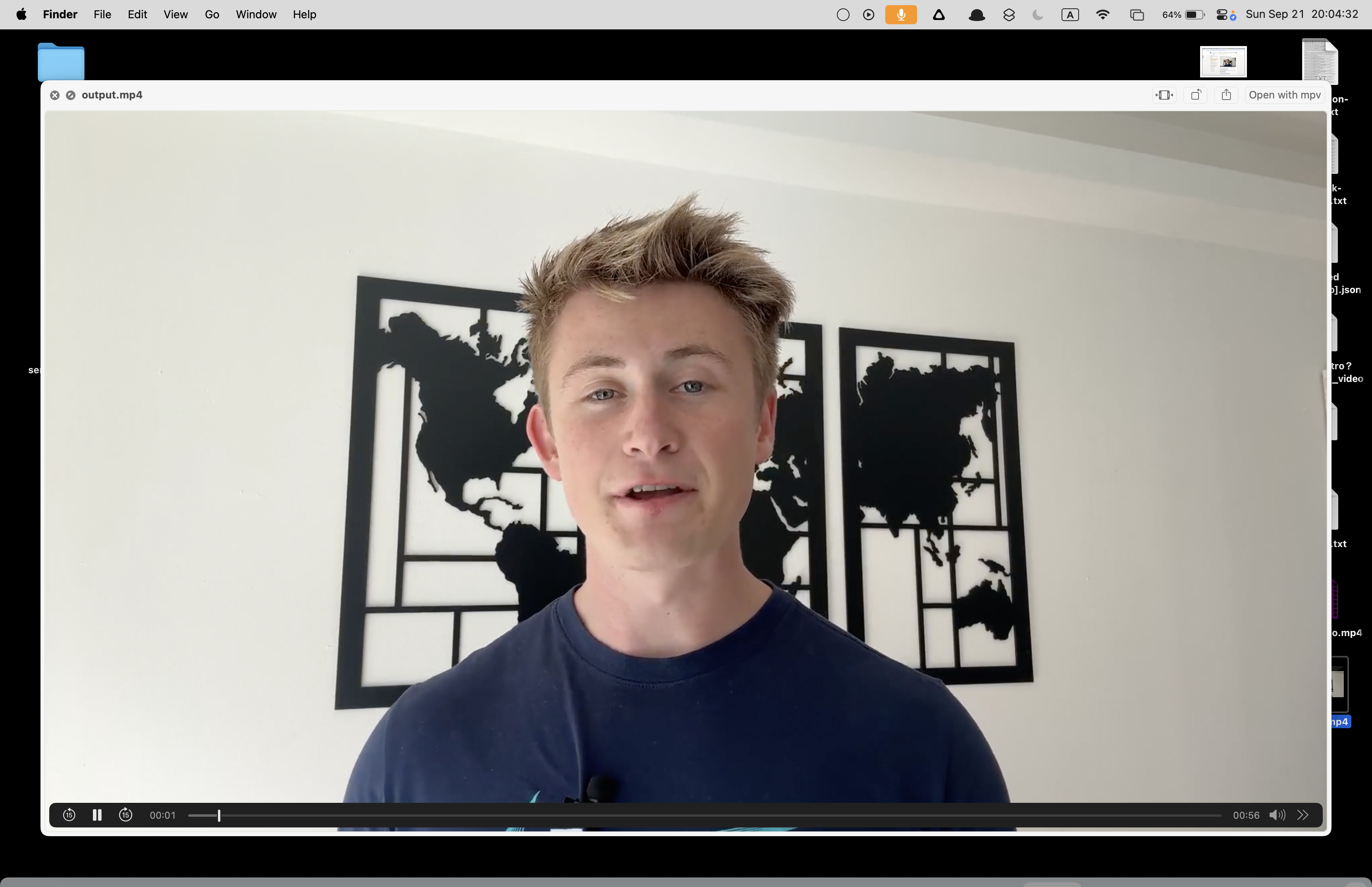
This particular video is public (or playable without cookies); streamlink’s Vimeo plugin can fetch the manifest via Vimeo’s API without your session.
streamlink itself handles the necessary requests under the hood, so you didn’t need to supply headers for this case.
For private or cookie-dependent videos, streamlink does need the headers/cookies (via --http-header or --http-cookie). So while the bare command happened to succeed here,
We’ll still want our automation to capture and forward headers for the locked-down cases.
👉 Get Vimeo Video Downloader: https://serp.ly/vimeo-video-downloader
Bonus: Chain the commands together
streamlink -O "URL" best --stream-segment-threads 5 | ffmpeg -i pipe:0 -c copy -movflags +faststart ~/Desktop/vimeo.mp4
👉 Try the Vimeo Video Downloader
Related Posts
How to Download Onlyfans Profile's Videos & Images for FREE (yt-dlp tutorial)
Download OnlyFans profile videos and images using yt-dlp by capturing the MP4 media URL from DevTools; simple step-by-step workflow and examples.
How to Download Circle.so Videos for Free (HLS m3u8 Streams) - using yt-dlp
Step-by-step guide to download Circle.so HLS m3u8 videos with yt-dlp, auto-naming, ffmpeg optimization, and troubleshooting tips.
How to Download Coursera Videos for FREE (yt-dlp tutorial)
Download Coursera lectures with yt-dlp by capturing MP4 or HLS/DASH URLs from DevTools. Step-by-step workflow and examples.